App Discovery
The best apps for seniors — all free or low cost. Watch the tutorials, then read the plain-language guide to get started.
App Tutorial Videos
Watch these to see how apps work before you download them — no pressure, just learning.

Top Apps for Seniors
A curated walkthrough of the most useful apps for older adults — covering communication, health, and more.
5 Best Android Apps for Seniors (2025)
Five apps designed to make life easier, safer, and more enjoyable for seniors on Android phones.
Smartphones, Tablets & the Best Apps for Seniors
A broad overview of the apps and devices that work best for older adults.

How to Set Up a Zoom Call — Step-by-Step for Seniors
See your family face-to-face — this step-by-step guide makes Zoom easy for any beginner.
Zoom Tutorial for Seniors: How to Join a Meeting
Already have the Zoom link? This video walks through joining a meeting in just a few taps.
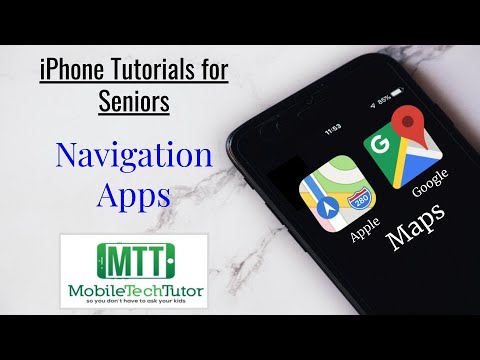
Apple & Google Maps Tutorial for Seniors
Never get lost again — learn to get turn-by-turn directions on both iPhone and Android.
Google Maps Made Easy for Seniors — Step-by-Step
Opens Google Maps, searches for a destination, and follows directions — all explained slowly and clearly.

Travel Made Easy: Top Apps for Seniors on the Go
Planning a trip or running errands? These apps make traveling safer and less stressful.
Recommended Apps for Seniors
All apps are free (or have a free version) unless noted. Available on iPhone and Android.
Video call up to 100 people at once. Perfect for family gatherings, book clubs, church services, or doctor telehealth appointments. The basic version is completely free and works on any phone or computer.
Send messages, photos, and make free voice or video calls over Wi-Fi — no phone minutes used. Great for staying in touch with family overseas. Works on iPhone and Android.
iPhone/iPad only. One tap to video call any family member with an Apple device. Built right into your iPhone — no downloading needed. Crystal clear picture and sound.
Google's free video calling app — works on any phone or computer. Just share a link and anyone can join. Great alternative to Zoom, especially for Android users.
Never get lost again. Type any address and follow spoken, step-by-step directions. Can also search for nearby restaurants, pharmacies, gas stations, and hospitals.
Order almost anything from home and have it delivered to your door in 1–2 days. Great for household items, gifts, and things that are hard to find locally. Read reviews before buying.
Check today's weather and 10-day forecasts before leaving the house. Get severe weather alerts and radar maps. Large, easy-to-read display.
Google's free email app — check, send, and reply to emails on your phone. Spam filters keep your inbox clean and the search feature makes finding old messages easy.
Never miss a medication again. Set reminders for every pill, every day. Tracks your medications, dosage schedules, and even alerts a family member if you miss a dose.
Already on your phone. On iPhone: press and hold the side button. On Android: press the power button 5 times. Calls 911 automatically and texts your emergency contacts your location.
Track your daily steps, heart rate, sleep, and more — automatically, without doing anything extra. Your phone counts your steps all day just by being in your pocket.
See a doctor from home by video call — no waiting room, no driving. Many insurance plans cover telehealth visits at no extra cost. Ask your doctor which app they use.
Millions of free videos on any topic — cooking, travel, music, news, gardening, old TV shows, and how-to guides. No subscription needed. Search for anything and watch instantly.
Watch thousands of movies, TV shows, and documentaries on any device — TV, phone, or tablet. No commercials. Costs about $15–$23/month. Great for long evenings or rainy days.
Listen to audiobooks read aloud — perfect if reading is hard on your eyes. Huge library of bestsellers, mysteries, and memoirs. First book is often free. About $15/month after trial.
Listen to any song, playlist, or radio station — instantly and for free. From 1950s hits to classical music to today's country — it's all there. Free with ads, or $11/month without.